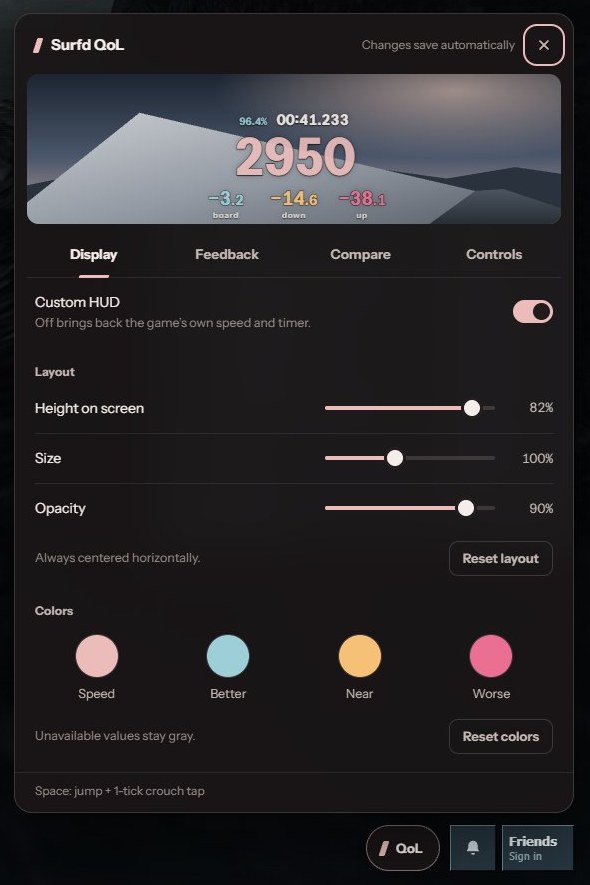
See where your speed goes.
Surfd QoL is a Chrome extension for surfd.net. It shows where you lose speed, on each ramp and in the air, so you can find your mistakes and see what an optimal run does differently.
Everything on the HUD can be configured or turned off. The code is plain JavaScript with no dependencies, so it's easy to change or extend yourself, or with your own coding agent.
Desktop Chrome 118 or newer.
Install
It isn't on the Chrome Web Store, so you load it into Chrome yourself.
- Download the zip and unzip it.Keep the unzipped folder somewhere it can stay; Chrome loads the extension from it.
- Open
chrome://extensionsPaste it into the address bar, then switch on Developer mode in the top right. - Click Load unpacked and pick the unzipped folder.It's the folder that contains
manifest.json. - Open surfd.net.The tab reloads once while the extension hooks in. Settings are under QoL, bottom right of the game menu.
Chrome will show a “started debugging this browser” bar. The extension needs the debugger permission to read the game's physics, and only touches surfd.net. You can close the bar; everything keeps working until you reload. To update, download the new zip, replace the folder and click reload on the extension.
What the numbers mean
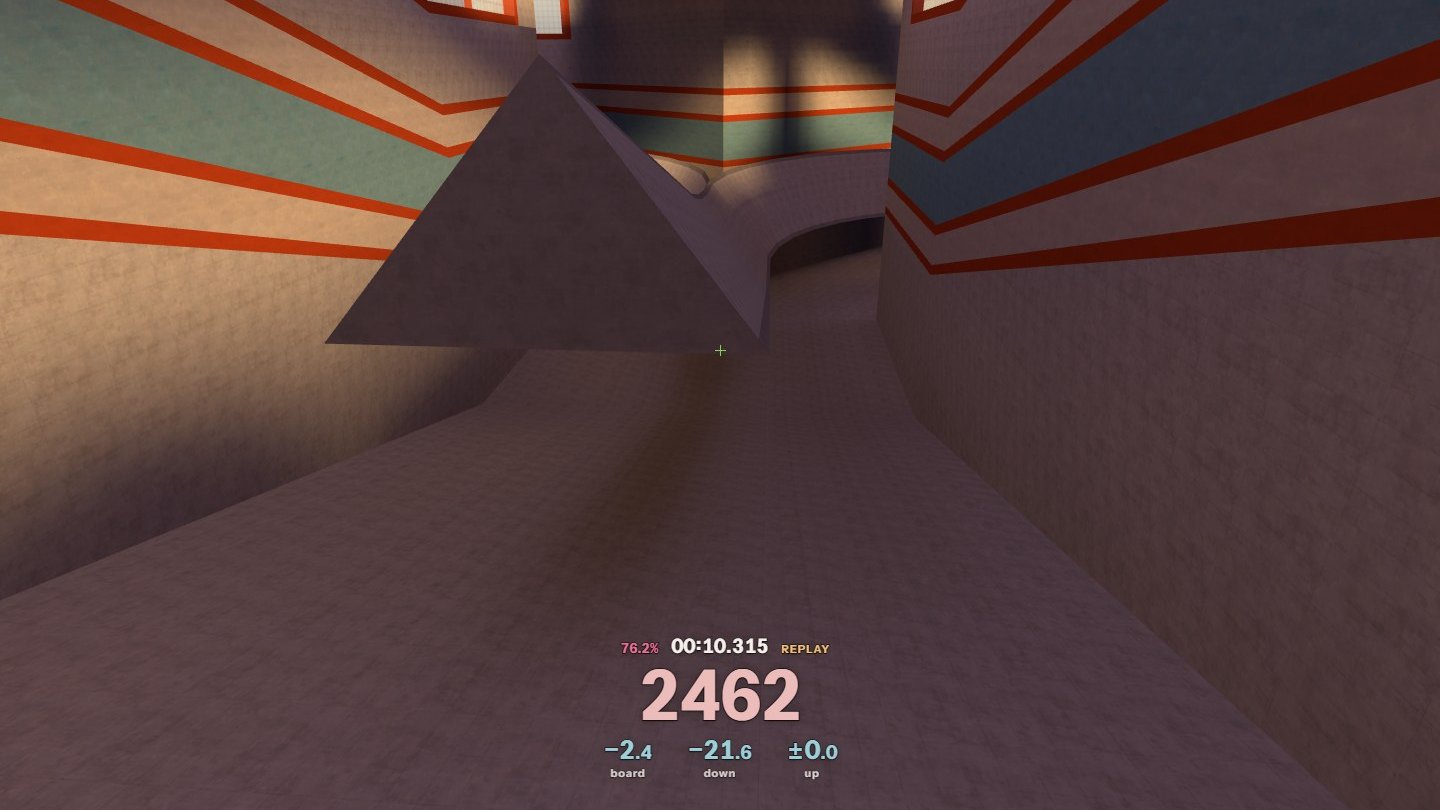
Each value stays up until the next ramp or flight replaces it, so you can read it in the air instead of mid-ramp. All of them are in units per second.
- Board
- Speed clipped off as you land on a ramp. Height conversion doesn't count.
- Down
- What the ramp cost from boarding to the lowest point you touched.
- Up
- What it cost from the lowest point to where you left the ramp. Down and Up add up to the whole ramp.
- Air
- Your last flight: speed lost to braking plus gain missed by imperfect strafes. Shows in Down's place when you land.
- As good as the reference or better
- A little worse
- Worse
- No matching reference
You choose what to compare against: the KSF record route (the default), Surfd's leaderboard #1, or your own PB. Even the record loses real speed on most ramps, so the comparison tells you more than the raw number.
Settings
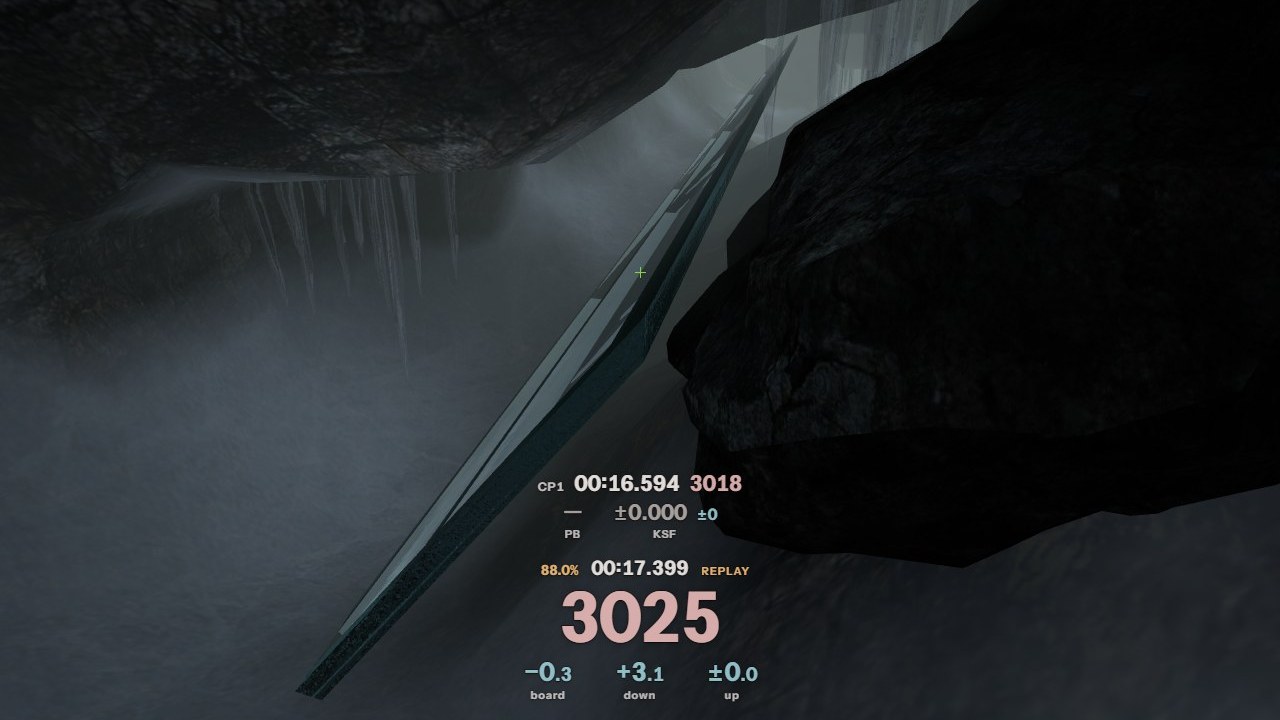
- Turn any value on or off; the rest re-centre.
- Move, resize and recolor the HUD with a live preview.
- Grade each value against fixed targets, your PB, the KSF record or Surfd's #1.
- Optional crouch-jump on any key: one tick of crouch per jump.
- Nullbinds for A/D and W/Space.
- Speed counter and timer refresh rates, so digits stay readable.
It never changes physics, timing or replays, and sends nothing anywhere. Anything you hide isn't computed.